Table of contents
Multi-View
DTU
Issues:
Directory Structure
-
Problems:
- The directory structure of the DTU dataset
-
Supports:
-
Download page: MVS Data Set - 2014 | DTU Robot Image Data Sets
-
124 scans -
Rectified.zip(123 GB)jsmind
{{{}}}
-
-
SampleSet.zip
-
Supports:
- Scan1 and scan6
-
Actions:
Directory tree
jsmind
{{{}}}
-
- Read Depth Map
Subsets
Issues:
Notes:
-
mvs_training-
Supports:
-
The DTU dataset is processed for MVSNet by Yaoyao
-
Image size (dimension recognized by
identify): 640x512 -
The focal length of the camera matrix inside the
train/folder corresponds to the camera parameters of feature maps. Focal length get scaled alongside only downsampling operations.flowchart LR A["Rectified image
(1600x1200)"] --> B["Downsample
(800x600)"] --> C["Crop
(640x512)"] --> D["Feature map
(160x128)"]The principle point (
c_x,c_y) get affected by both downsampling and cropping operations.flowchart LR A["Princple point
(823.205, 619.071)"] --> B["Download
(411.6, 309.54)"] --> C["Crop
(331.6, 265.54)"] --> D["Feature map
(82.9, 66.38)"]Table
{{{}}}SampleSet Decupled train SampleSet/MVS Data/Calibration/cal18$ cat pos_001.txt 2607.429996 -3.844898 1498.178098 -533936.661373 -192.076910 2862.552532 681.798177 23434.686572 -0.241605 -0.030951 0.969881 22.540121mvs_training/dtu/Cameras$ cat 00000000_cam.txt extrinsic 0.970263 0.00747983 0.241939 -191.02 -0.0147429 0.999493 0.0282234 3.28832 -0.241605 -0.030951 0.969881 22.5401 0.0 0.0 0.0 1.0intrinsic 2892.33 0 823.205 0 2883.18 619.071 0 0 1
425 2.5
mvs_training/dtu/Cameras/train$ cat 00000000_cam.txt extrinsic 0.970263 0.00747983 0.241939 -191.02 -0.0147429 0.999493 0.0282234 3.28832 -0.241605 -0.030951 0.969881 22.5401 0.0 0.0 0.0 1.0intrinsic 361.54125 0.0 82.900625 0.0 360.3975 66.383875 0.0 0.0 1.0
425.0 2.5
-
-
Actions:
-
Convert DTU to PCN
Problems:
- Reorgnize the DTU dataset to the format of the PCN dataset
References:
- Gemini 2.5P | DTU to PCN Dataset Conversion (May08,25)
Compl. & Acc. (Python)
-
Problems:
-
The official evaluation for DTU dataset metrics (completeness and accuracy) is performed using MATLAB scripts. However, I don’t have a Matlab license.
-
I remember there are alternative methods for measurement, which can be implemented in Python.
-
-
Supports:
- Python Implementation r1-Fast
::: aside
- References: {{{
- Gwencong/Fast-DTU-Evaluation
Searched byDTU dataset completeness accuracy computeat DDG - Gemini 2.5P - PyTorch CUDA Version Mismatch Error
- SO - ImportError: cannot import name ‘packaging’ from ‘pkg_resources’ when …
Searched by.venv/lib/python3.10/site-packages/torch/utils/cpp_extension.py", line 25, in <module> from pkg_resources import packaginat DDG - unable to build from source - `cannot import name ‘packaging’ from ‘pkg … | GitHub issues
- ImportError: cannot import name ‘packaging’ from ‘pkg_resources’’ - CSDN博客
Searched byImportError: cannot import name 'packaging' from 'pkg_resources'at DDG }}} :::
- Gwencong/Fast-DTU-Evaluation
-
Actions:
-
Download source code
1
2
git clone https://github.com/Gwencong/Fast-DTU-Evaluation.git cd Fast-DTU-Evaluation -
Specify dependencies versions in
requirements.txt1 2 3 4 5 6 7--extra-index-url https://download.pytorch.org/whl/cu113 torch==1.12.1+cu113 torchvision==0.13.1+cu113 # torchaudio==0.12.1 # setuptools>=59.6.0,<70.0.0 setuptools==69.5.1 numpy<2-
Match
torchversion with the system CUDA version (11.3) r2-Gemini -
torch 1.10doesn’t support Python higher than3.10r2-Gemini -
setuptools==69.5.1avoids error: r3-SO,r4-Issue,r5-CSDN1ImportError: cannot import name 'packaging' from 'pkg_resources'Traceback
{{{1 2 3 4 5 6 7(Fast-DTU-Evaluation) zichen@zichen-X570-AORUS-PRO-WIFI:~/Projects/Fast-DTU-Evaluation$ python chamfer3D/setup.py install Traceback (most recent call last): File "/home/zichen/Projects/Fast-DTU-Evaluation/chamfer3D/setup.py", line 2, in <module> from torch.utils.cpp_extension import BuildExtension, CUDAExtension File "/home/zichen/Projects/Fast-DTU-Evaluation/.venv/lib/python3.10/site-packages/torch/utils/cpp_extension.py", line 25, in <module> from pkg_resources import packaging # type: ignore[attr-defined] ImportError: cannot import name 'packaging' from 'pkg_resources' (/home/zichen/Projects/Fast-DTU-Evaluation/.venv/lib/python3.10/site-packages/pkg_resources/init.py)}}}
-
setuptools < 70.0.0is not in the “PyTorch package index”, which is looked through byuv. So addingunsafe-best-matchto allowuvfind the compatible version from all souce.
-
-
Create environment
1 2 3 4 5 6 7 8 9 10 11 12uv venv -p python3.10 source .venv/bin/activate # Enable PyPI repository for setuptools uv pip install -r requirements.txt --index-strategy unsafe-best-match # Specify compiler versions for CUDA export CC=/usr/bin/gcc-9 export CXX=/usr/bin/g++-9 export CUDAHOSTCXX=/usr/bin/g++-9 cd chamfer3D && python setup.py install # build and install chamfer3D package-
CUDA 11.3 requires
g++ <= 10.0.0r6-Example error
{{{1RuntimeError: The current installed version of x86_64-linux-gnu-g++ (11.4.0) is greater than the maximum required version by CUDA 11.3 (10.0.0). Please make sure to use an adequate version of x86_64-linux-gnu-g++ (>=5.0.0, <=10.0.0).}}}
-
update-alternative --config g++alone for specifyingg++-9doesn’t work (still detectg++-10 (10.5.0)); setCXXexplicitly.
-
-
Run evaluation with directories of predicted and ground-truth point clouds specified:
1 2 3CUDA_VISIBLE_DEVICES=0 python eval_dtu.py --method scan \ --pred_dir "/mnt/Seagate4T/04-Projects/CasMVSNet_pl-comments/output/no_densify_250929_2views_iter30K_640x512_noDepthReg/combined_ply" \ --gt_dir "/mnt/Seagate4T/05-DataBank/SampleSet/MVS Data" --save --num_workers 1--methodconstitutes the.plyfilename.- Results are saved as
result.txtunder--pred_dir.
-
Eval Framework Understand
-
Problems:
- The Matlab code understanding
-
Supports:
- AI explanation r1-
::: aside
- References: {{{
-
DTU Evaluation Framework | caoPhoenix/CasMVSNet | DeepWiki
Searched byDTU dataset completeness accuracy computeat DDG - DTU Dataset Evaluation | hbb1/2d-gaussian-splatting | DeepWiki }}} :::
-
DTU Evaluation Framework | caoPhoenix/CasMVSNet | DeepWiki
Real Estate 10K
Tanks and Temples
References:
Novel View Synthesis
Static
Issues:
Notes:
-
NeRF
-
Supports:
-
Meta info:
- 8 Feed-forward scenes
-
-
Dynamic
Issues:
- D-NeRF
Notes:
- D-NeRF:
Point Cloud
ShapeNet
PCN
Issues:
References:
- Gemini Deep Research | PCN 点云数据集介绍
- 元宝 | Python类结构概览方法
- 元宝 | 笔记转写
- Visualize point cloud | Open3D 0.19.0 documentation
Notes:
-
Directory Structure
-
Supports:
- Point Completion Network
-
Actions:
(2025-04-27T22:37)
-
PCN dataset directory structure (
~/Downloads/Datasets_Unpack/ShapeNetCompletion)1 2 3 4 5 6 7 8 9 10 11~/Downloads/Datasets_Unpack/ShapeNetCompletion$ tree -L 2 . ├── test │ ├── complete │ └── partial ├── train │ ├── complete │ └── partial └── val ├── complete └── partial -
In the
partialfolder, each “complete” point cloud is split into 8 portions.
-
-
(2025-04-28T22:30)
-
Read the PCN Dataset as a PyTorch
Dataset-
Supports:
- Souce code: PointAttN/dataset.py
-
Actions:
-
(2025-05-10T13:49)
-
Visualize Point Clouds using O3D
-
Supports:
-
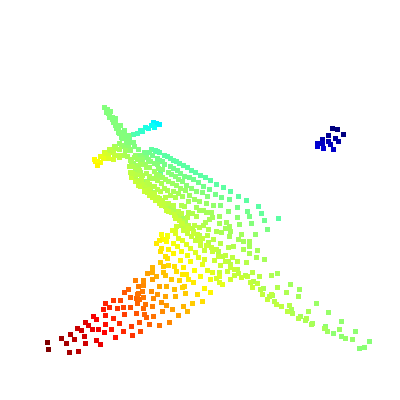
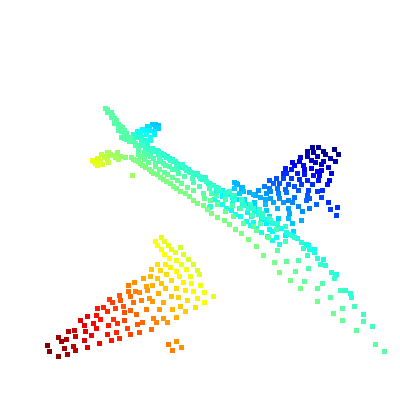
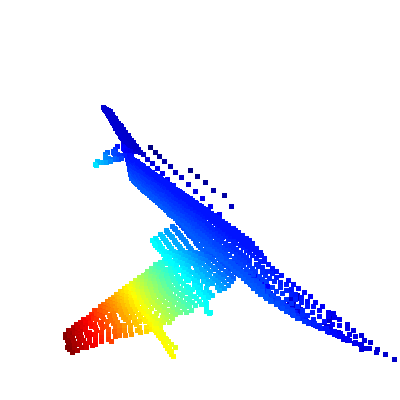
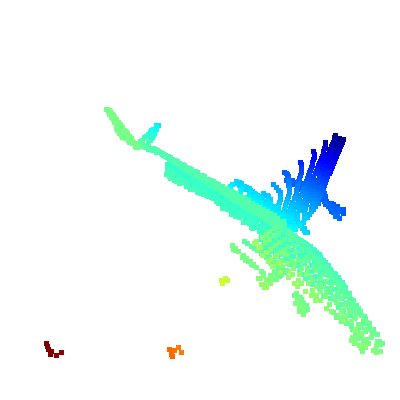
o3dread.pcddatar4-Docs:1 2 3 4 5 6 7 8 9 10import open3d as o3d pcd = o3d.io.read_point_cloud("/home/zichen/Downloads/Datasets_Unpack/ShapeNetCompletion/train/complete/02691156/10155655850468db78d106ce0a280f87.pcd") vis = o3d.visualization.Visualizer() vis.create_window(width=400, height=400) ctr = vis.get_view_control() param = o3d.io.read_pinhole_camera_parameters("PCN_Cam_Parm_save.json") vis.add_geometry(pcd) ctr.convert_from_pinhole_camera_parameters(param) vis.run()
-
-
Actions:
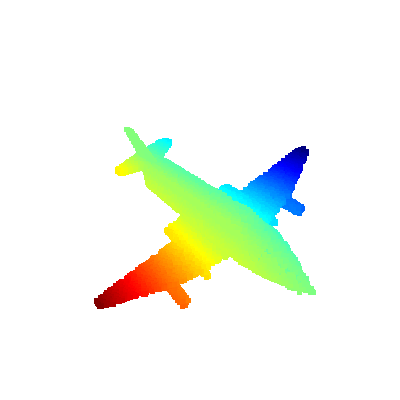
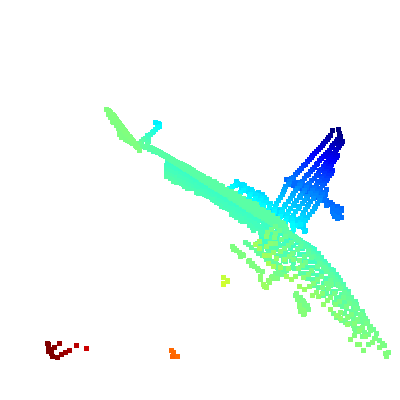
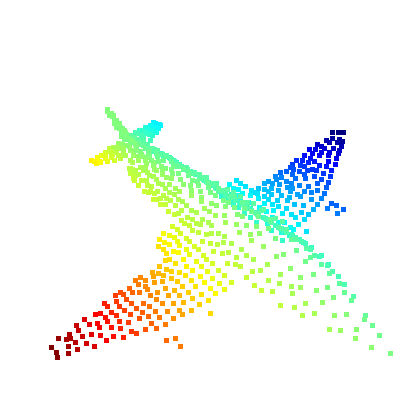
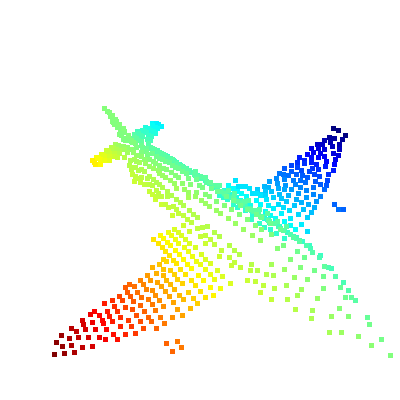
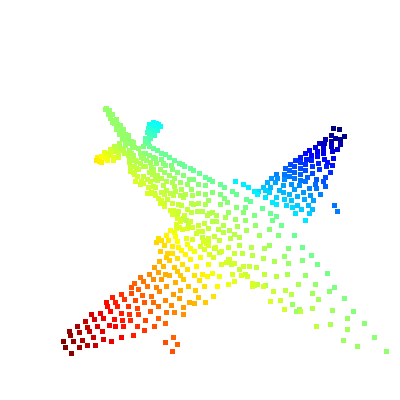
-