Table of contents
camtools
-
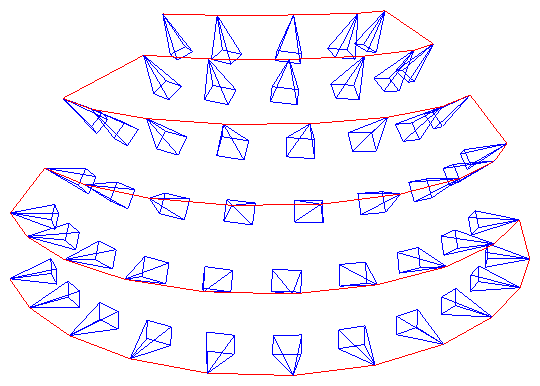
Plot the 49 Camera Poses in DTU
-
References:
(2024-03-28)
-
Supports:
-
Actions:
Code
 1
 2
 3
 4
 5
 6
 7
 8
 9
10
11
12
13
14
15
16
17
18
19
20
21
22
23
24
25
26
import numpy as np import os def read_cam_file(filename): with open(filename) as f: lines = [line.rstrip() for line in f.readlines()] # extrinsics: line [1,5), 4x4 matrix extrinsics = np.fromstring(' '.join(lines[1:5]), dtype=np.float32, sep=' ') extrinsics = extrinsics.reshape((4, 4)) # intrinsics: line [7-10), 3x3 matrix intrinsics = np.fromstring(' '.join(lines[7:10]), dtype=np.float32, sep=' ') intrinsics = intrinsics.reshape((3, 3)) # depth_min & depth_interval: line 11 depth_min = float(lines[11].split()[0]) return intrinsics, extrinsics, depth_min import camtools as ct import open3d as o3d Ks, Ts= [], [] for i in range(49): intrinsics, extrinsics, _ = read_cam_file(os.path.join('/mnt/data2_z/MVSNet_testing/dtu','scan1', f'cams/{i:08d}_cam.txt')) Ks.append(intrinsics) Ts.append(extrinsics) cameras = ct.camera.create_camera_frames(Ks, Ts) o3d.visualization.draw_geometries([cameras]) -
Results:
Result Demo in README 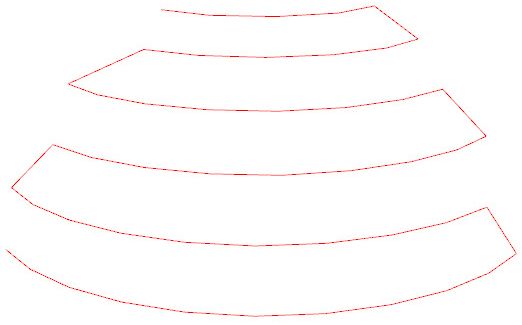
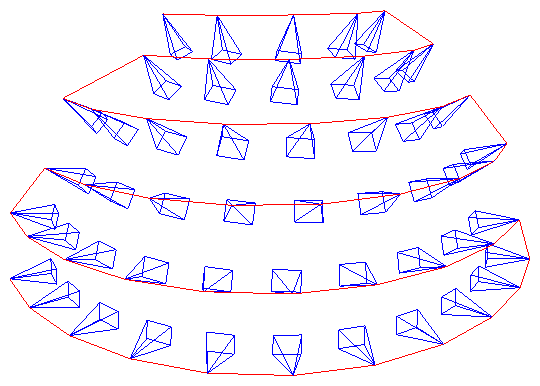
Don’t know how to add camera frames like his. 1 2 3 4 5 60 1 2 3 4 10 9 8 7 6 5 11 12 13 14 15 16 17 18 27 26 25 24 23 22 21 20 19 28 29 30 31 32 33 34 35 36 37 48 47 46 45 44 43 42 41 40 39 38
-
CameraViewer
(2024-03-28)
xt4d/CameraViewer found by DDG when searching “how to visualize camera pose”
It uses plotly to visualize cameras internally.
(2024-03-28)
-
Test the poses in DTU.
The extrinsics (w2c) don’t appear on the canvas if keeping the translation vectors.
I set the translation (camera pose), i.e., 4th column in extrinsics to all 0, then the rotations are shown.
1 2 3 4 5# /mnt/data2_z/MVSNet_testing/dtu/scan1/cams/{0:08d}_cam.txt array([[ 0.970263 , 0.00747983, 0.241939 , 0. ], [-0.0147429 , 0.999493 , 0.0282234 , 0. ], [-0.241605 , -0.030951 , 0.969881 , 0. ]], dtype=float32)The reason could be that the translation vector is too large: [-191.02, 3.28832, 22.5401].
By reducing it by 1/100 times (
extrinsics[:,3] = extrinsics[:,3]/100): [-1.9102, 0.0328832, 0.225401], the camera appears.-
The w2c (extrinsics) can be prepared as npy files:
1 2 3 4 5for i in range(49): intrinsics, extrinsics, _ = read_cam_file(os.path.join('/mnt/data2_z/MVSNet_testing/dtu','scan1', f'cams/{i:08d}_cam.txt')) extrinsics = extrinsics[:3] extrinsics[:,3] = extrinsics[:,3]/100 np.save(f'/mnt/data2_z/Poses_CamViewer/obj/poses/{i:03d}', extrinsics)BTW, writing json file manually is a time black hole.
-
As long as the filenames of poses and images are the same, it’s okay. The indexing doesn’t matter.
1~/Downloads/CameraViewer$ python app.py --root /mnt/data2_z/Poses_CamViewer/obj/ --type w2c --image_size 128- If omitting the argument
--type, the program will use poses.json. Otherwise, the program will read directories:poses/andimages/.
-
-
49 cameras for scan1
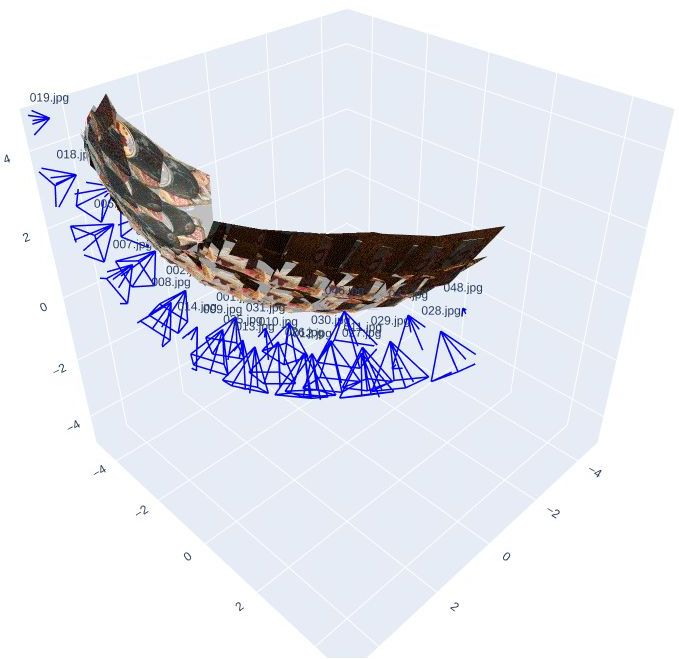
- The above figure shows the original poses. And the principal axis is facing away from the object.
pytransform3d
(2024-03-29)
-
Plot mesh and cameras:
Visualizing camera trajectory in Open3D #148 (Found when searching “open3d visualize camera poses” DDG)
The mesh in the image is produced by Meshroom. And then use
Figure.plot_camera() -
pytransform3d.camera.plot_camera()ExampleCode for plotting pose 1 of DTU
1 2 3 4 5 6 7 8 9 10 11 12 13 14 15 16 17 18 19 20 21 22 23 24 25 26 27import numpy as np import matplotlib.pyplot as plt import pytransform3d.camera as pc import pytransform3d.transformations as pt w2c = np.array([[0.970263, 0.00747983, 0.241939, -191.02], [-0.0147429, 0.999493, 0.0282234, 3.28832], [-0.241605, -0.030951, 0.969881, 22.5401], [0.0, 0.0, 0.0, 1.0] ]) c2w = np.linalg.inv(w2c) intrinsics = np.array([ [ 2.89233051e+03, -2.48063349e-04, 8.23205273e+02], [ 0.00000000e+00, 2.88317528e+03, 6.19070918e+02], [ 0.00000000e+00, 0.00000000e+00, 1.00000000e+00]]) sensor_size = np.array([1600, 1200]) # image size virtual_image_distance = 1 ax = pt.plot_transform(A2B=c2w, s=0.2) ax.set_xlim(186, 188) ax.set_ylim(3, 5) ax.set_zlim(20, 22) pc.plot_camera( ax, cam2world=c2w, M=intrinsics, sensor_size=sensor_size, virtual_image_distance=virtual_image_distance) plt.show()pytransform3d matplotlib 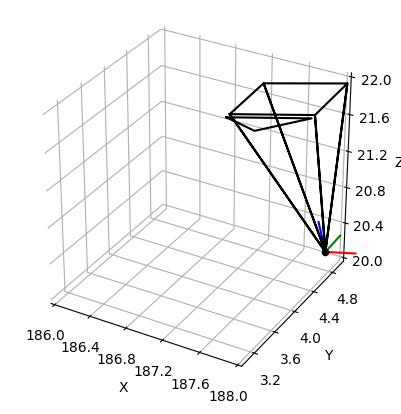
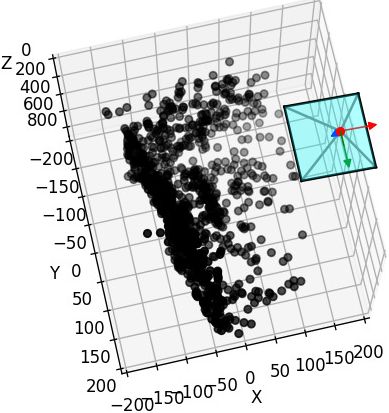
- In the matplotlib code, I have corrected the camera position to
-extrinsics[:-1][:,:-1].T @ extrinsics[:,-1][:-1]. The 2 results are the same.
- In the matplotlib code, I have corrected the camera position to
-
Plot basis and camera plane:
Camera Extrinsic Matrix with Example in Python - Part2
1 2 3 4 5 6 7# plot the global basis and the transformed camera basis ax = pr.plot_basis(ax) ax = pr.plot_basis(ax, R, offset) # plot the original and transformed image plane ax.plot_surface(xx, yy, Z, alpha=0.75) ax.plot_surface(xxt, yyt, Zt, alpha=0.75)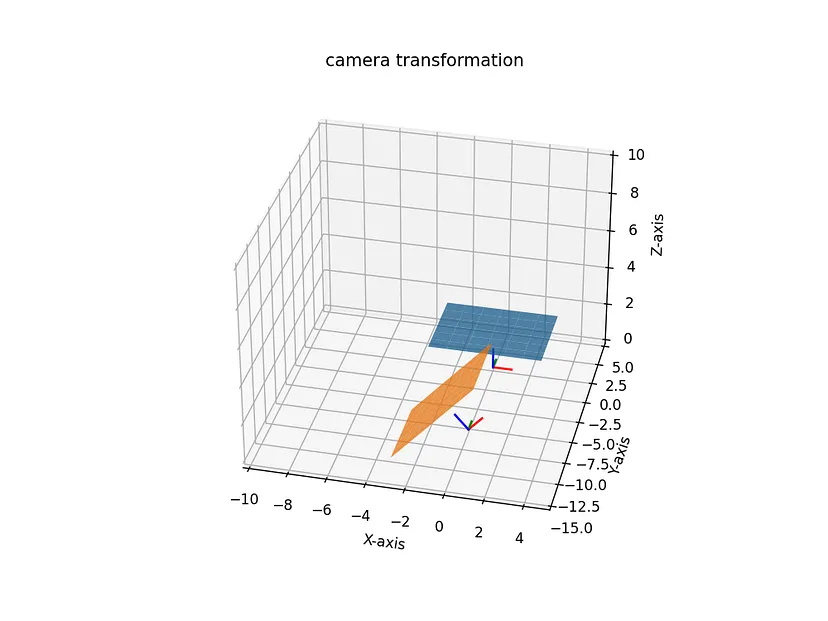
Matplotlib
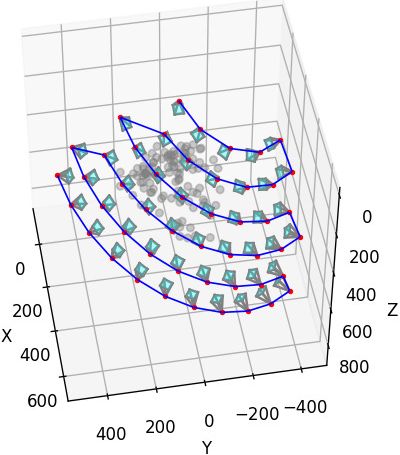
(2024-03-30)
Code
{{{
|
|
- The
Line3DCollectionusage is seen from an chatGPT-generated anwser: How to visualize colmap export that Camera parameters -SO
open3d
camera hull
(2024-03-29)
-
create_camera_visualization()Sample code: Is there a way to draw a camera in a visualizer? #3876
(Found when searching “open3d draw cameras” DDG)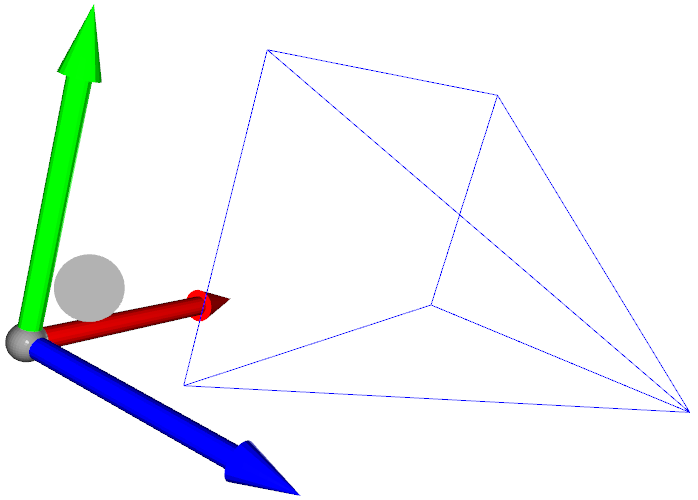
camera moves
-
Iterate Multiple Camera Poses (Extrinsics)
-
References:
(2024-03-31)
-
Setting the extrinsic matrix for ViewControl #2121 - Open3D
- Searched by “open3d camera extrinsic set_extrinsic” at DDG
-
Setting the extrinsic matrix for ViewControl #2121 - Open3D
-
Supports:
Actions:
-
Iterate multiple camera poses (extrinsics):
Code
1 2 3 4 5 6 7 8 9 10 11 12 13 14 15 16 17 18 19 20 21 22 23 24 25 26 27 28 29 30 31 32 33 34 35 36 37 38 39 40 41 42 43 44 45 46 47import numpy as np import os def read_cam_file(filename): with open(filename) as f: lines = [line.rstrip() for line in f.readlines()] # extrinsics: line [1,5), 4x4 matrix extrinsics = np.fromstring(' '.join(lines[1:5]), dtype=np.float32, sep=' ') extrinsics = extrinsics.reshape((4, 4)) # intrinsics: line [7-10), 3x3 matrix intrinsics = np.fromstring(' '.join(lines[7:10]), dtype=np.float32, sep=' ') intrinsics = intrinsics.reshape((3, 3)) # depth_min & depth_interval: line 11 depth_min = float(lines[11].split()[0]) return intrinsics, extrinsics, depth_min poses_list = [] for i in range(49): _, extrinsics, _ = read_cam_file(os.path.join('/mnt/data2_z/MVSNet_testing/dtu','scan23', f'cams/{i:08d}_cam.txt')) poses_list.append({ "position": - extrinsics[:-1][:,:-1].T @ extrinsics[:,-1][:-1], "rotation": extrinsics[:-1][:,:-1], "extrinsics": extrinsics, }) import time import itertools import open3d as o3d pcd = o3d.io.read_point_cloud("/home/yi/Downloads/DTU_SampleSet/MVS Data/Points/stl/stl001_total.ply", format='ply') vis = o3d.visualization.VisualizerWithKeyCallback() vis.create_window(window_name="Playback", visible=True) vis.get_render_option().background_color = np.asarray([0, 0, 0]) vis.add_geometry(pcd) ctr = vis.get_view_control() cam = ctr.convert_to_pinhole_camera_parameters() for view_idx, camParams in zip(itertools.count(), poses_list): cam.extrinsic = camParams['extrinsics'] ctr.convert_from_pinhole_camera_parameters(cam, True) vis.poll_events() vis.update_renderer() time.sleep(0.1) vis.destroy_window()- Note: The argument
allow_arbitrary=Trueis required inconvert_from_pinhole_camera_parameters(cam, True)(using 0.18.0),
- Note: The argument
Custom Animation
Customized visualization - Open3D Docs
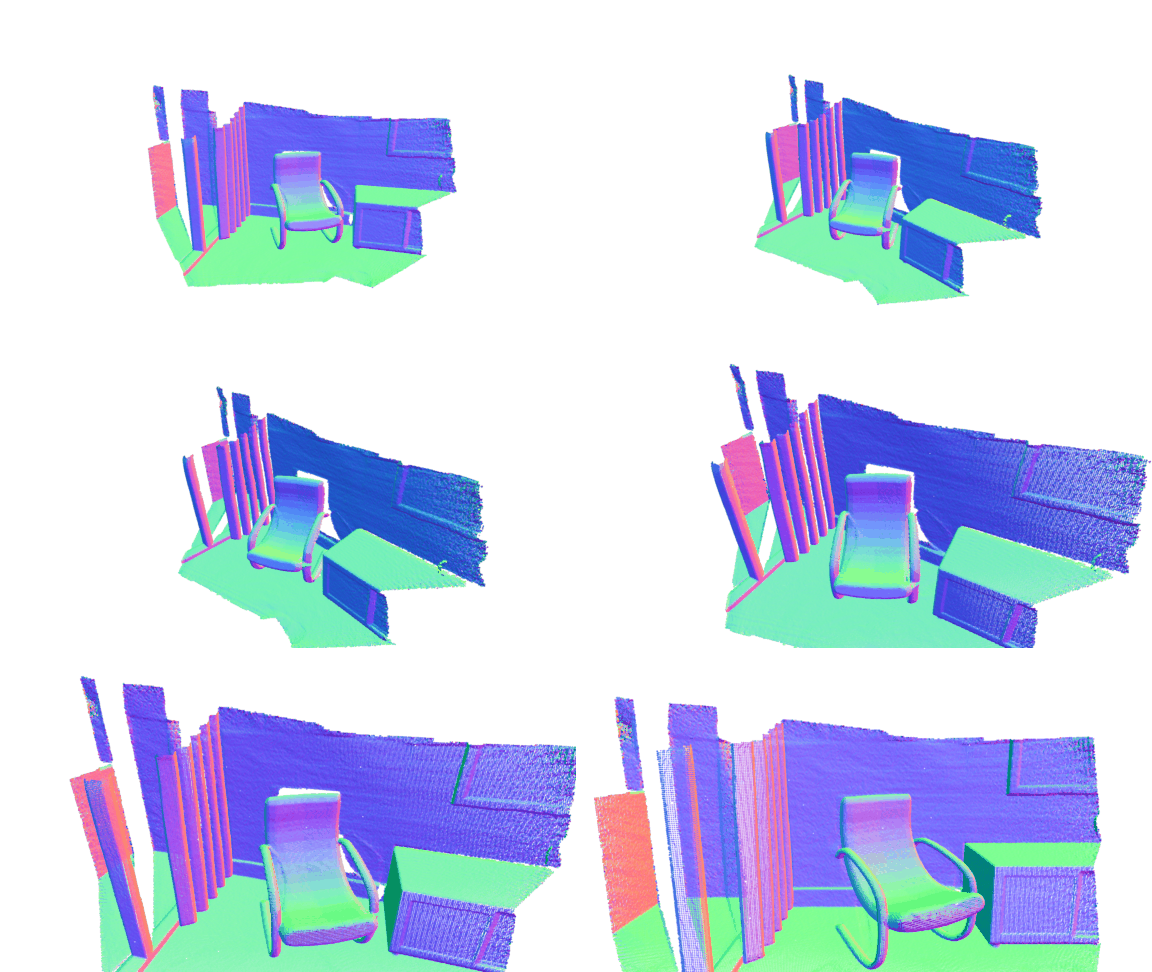
Code from View Control No Effect in 0.17 #6098
|
|
Others
-

-
OpenCV has example code. How to plot the camera and image positions from camera calibration data?

-
sxyu/nerfvis: NeRF visualization library under construction
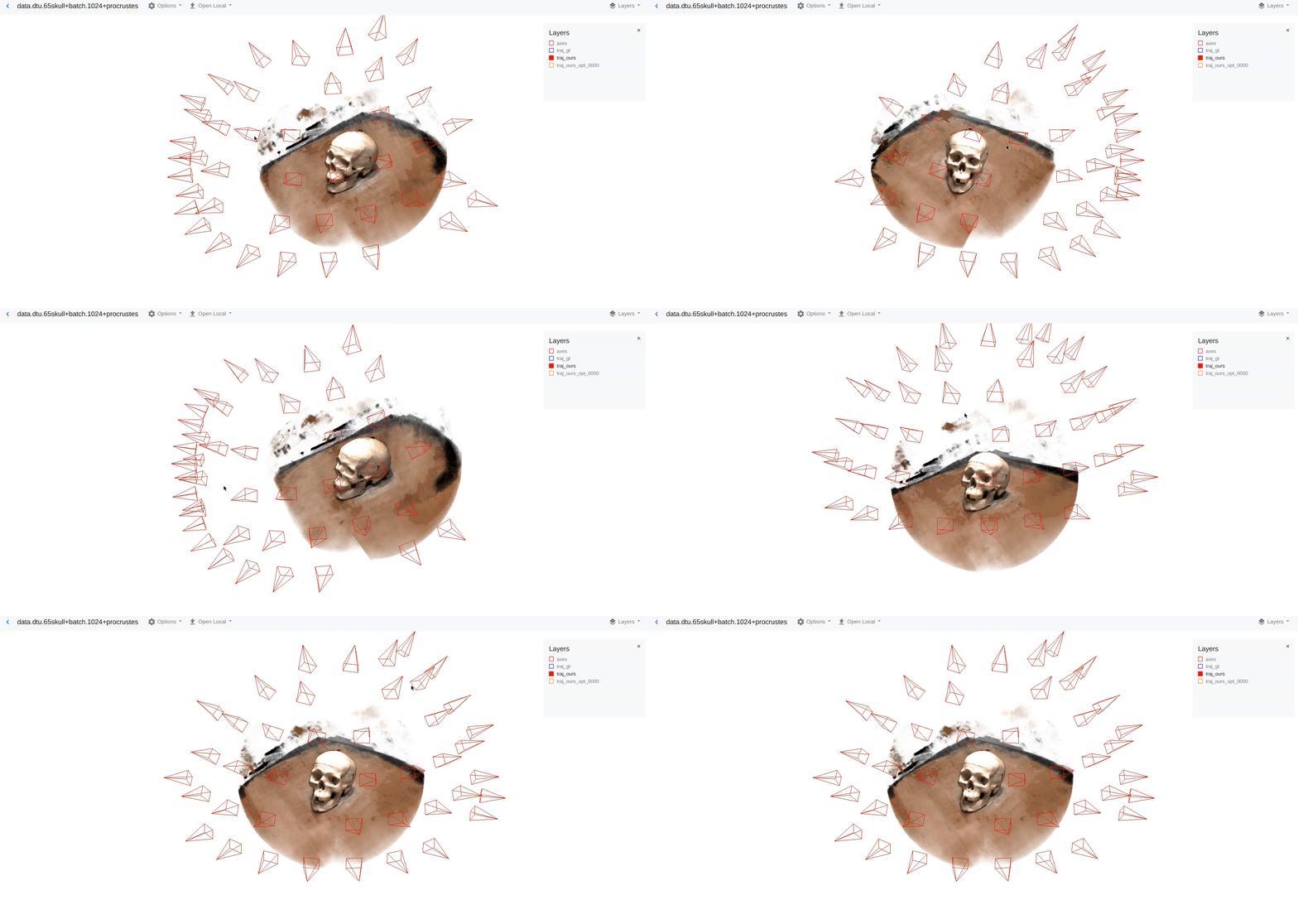
-
Blender add-on: Photogrammetry-Importer How to visualize colmap export ‘images.txt’ in blender? -SO

OpenCV
(2024-04-01)
-
OpenCV: cv::viz::WCameraPosition Class Reference

-
Draw coordinates axes
How to draw 3D Coordinate Axes with OpenCV for face pose estimation? - SO
1
2
scale = 0.1 img = cv2.drawFrameAxes(img, K, distortion, rotation_vec, translation_vec, scale)
cvtkit
(Found: nburgdorfer/confidence-based-fusion -> github.io -> cvtkit)
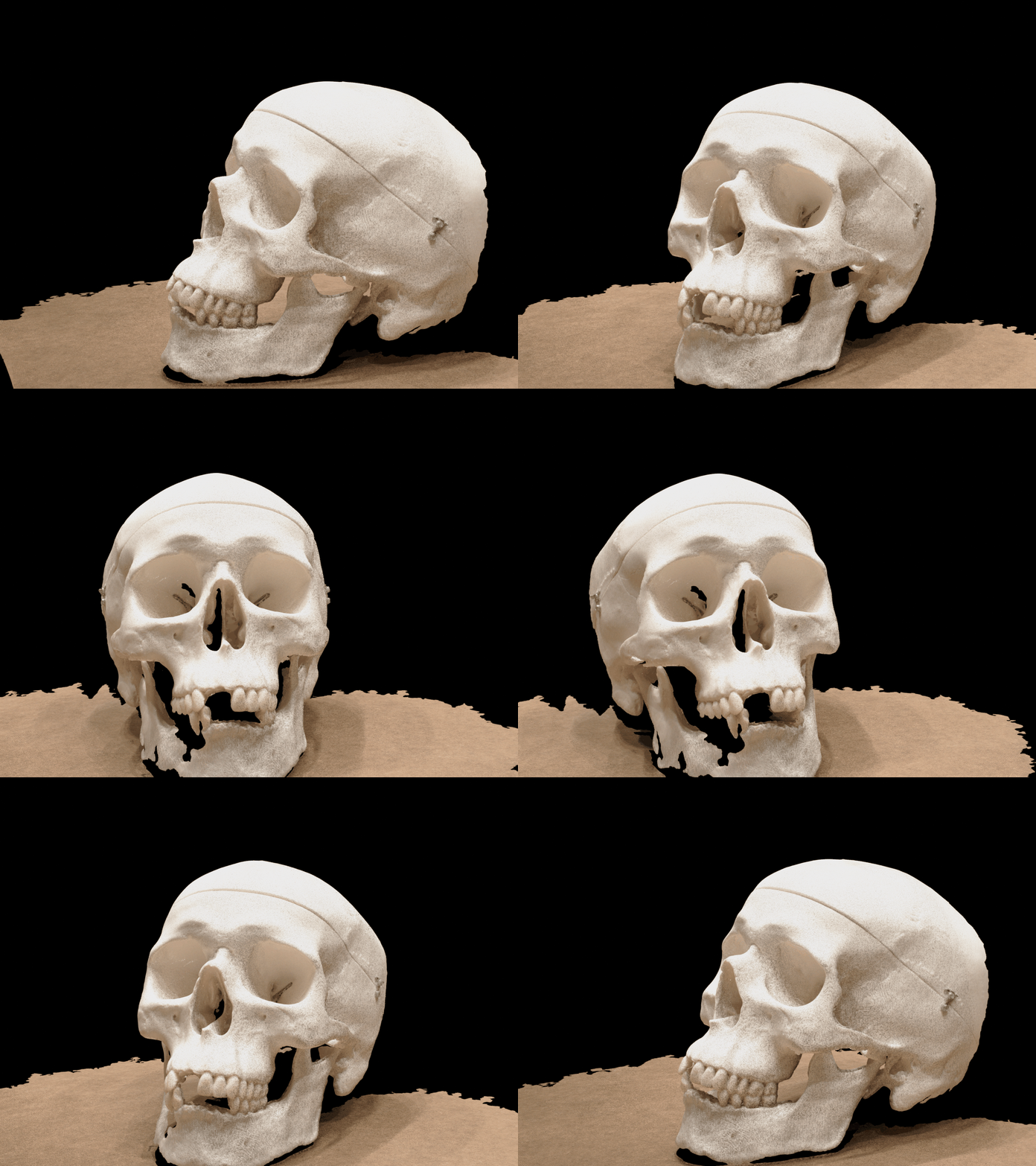
(2024-07-18)
- Functions: Point cloud ➡ GIF, Video; Mesh ➡ GIF, Video; Depth map ➡ Visibility map. Tutorials
|
|
ply to mp4
(2024-07-19)
-
The input camera poses can use the ones of DTU dataset.
1
2
3
4
python script_ply2gif_cvtkit.py \ -p /home/yi/Downloads/CasMVSNet_pl-comments/results/dtu/points/scan001_l3.ply \ -c /mnt/data2_z/MVSNet_testing/dtu/scan1/cams \ -n 48 # Use the 49 poses -
The default value for the argument
--video_fileis None. There will be an error if without setting it:1 2 3 4 5 6 7 8 9 10 11 12 13 14 15(AIkui) yi@yi-Alienware:~/Experiments/PointCloud/log$ python script_ply2gif_cvtkit.py -p /home/yi/Downloads/CasMVSNet_pl-comments/results/dtu/points/scan001_l3.ply -c /mnt/data2_z/MVSNet_testing/dtu/scan1/cams [Open3D INFO] EGL headless mode enabled. FEngine (64 bits) created at 0x55882c2a12c0 (threading is enabled) EGL(1.5) OpenGL(4.1) Traceback (most recent call last): File "/home/yi/OneDrive/Exercises/Experiments/PointCloud/log/script_ply2gif_cvtkit.py", line 72, in <module> main() File "/home/yi/OneDrive/Exercises/Experiments/PointCloud/log/script_ply2gif_cvtkit.py", line 59, in main with imageio.get_writer(video_file, mode="I", fps=ARGS.fps) as writer: File "/home/yi/anaconda3/envs/AIkui/lib/python3.10/site-packages/imageio/v2.py", line 163, in get_writer image_file = imopen(uri, "w" + mode, **imopen_args) File "/home/yi/anaconda3/envs/AIkui/lib/python3.10/site-packages/imageio/core/imopen.py", line 240, in imopen raise err_type(err_msg) ValueError: ImageIO does not generally support reading folders. Limited support may be available via specific plugins. Specify the plugin explicitly using the `plugin` kwarg, e.g. `plugin='DICOM'`- Similar problem discussed in: One-Shot_Free-View_Neural_Talking_Head_Synthesis - Issue#41