camtools
(2024-03-28)
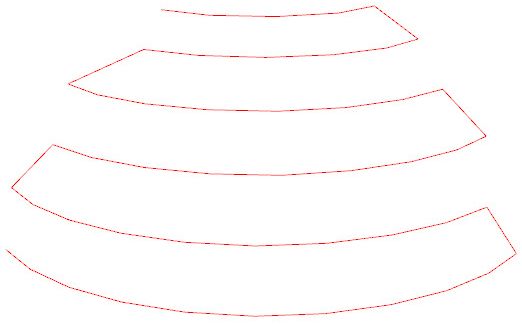
Plot the 49 camera poses in DTU:
Code
|
|
| Result | Demo in README |
|---|---|
|
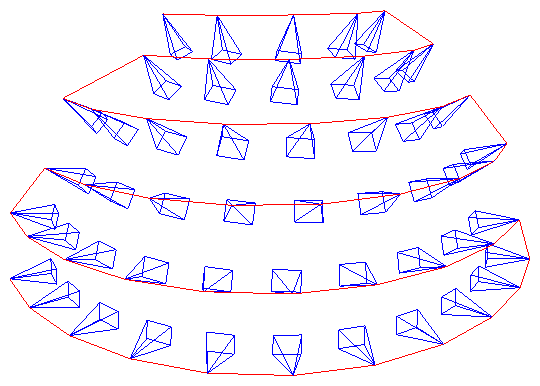 |
| Don’t know how to add camera frames like his. |
|
|
CameraViewer
(2024-03-28)
xt4d/CameraViewer found by DDG when searching “how to visualize camera pose”
It uses plotly to visualize cameras internally.
(2024-03-28)
-
Test the poses in DTU.
The extrinsics (w2c) don’t appear on the canvas if keeping the translation vectors.
I set the translation (camera pose), i.e., 4th column in extrinsics to all 0, then the rotations are shown.
1 2 3 4 5# /mnt/data2_z/MVSNet_testing/dtu/scan1/cams/{0:08d}_cam.txt array([[ 0.970263 , 0.00747983, 0.241939 , 0. ], [-0.0147429 , 0.999493 , 0.0282234 , 0. ], [-0.241605 , -0.030951 , 0.969881 , 0. ]], dtype=float32)The reason could be that the translation vector is too large: [-191.02, 3.28832, 22.5401].
By reducing it by 1/100 times (
extrinsics[:,3] = extrinsics[:,3]/100): [-1.9102, 0.0328832, 0.225401], the camera appears.-
The w2c (extrinsics) can be prepared as npy files:
1 2 3 4 5for i in range(49): intrinsics, extrinsics, _ = read_cam_file(os.path.join('/mnt/data2_z/MVSNet_testing/dtu','scan1', f'cams/{i:08d}_cam.txt')) extrinsics = extrinsics[:3] extrinsics[:,3] = extrinsics[:,3]/100 np.save(f'/mnt/data2_z/Poses_CamViewer/obj/poses/{i:03d}', extrinsics)BTW, writing json file manually is a time black hole.
-
As long as the filenames of poses and images are the same, it’s okay. The indexing doesn’t matter.
1~/Downloads/CameraViewer$ python app.py --root /mnt/data2_z/Poses_CamViewer/obj/ --type w2c --image_size 128- If omitting the argument
--type, the program will use poses.json. Otherwise, the program will read directories:poses/andimages/.
-
-
49 cameras for scan1
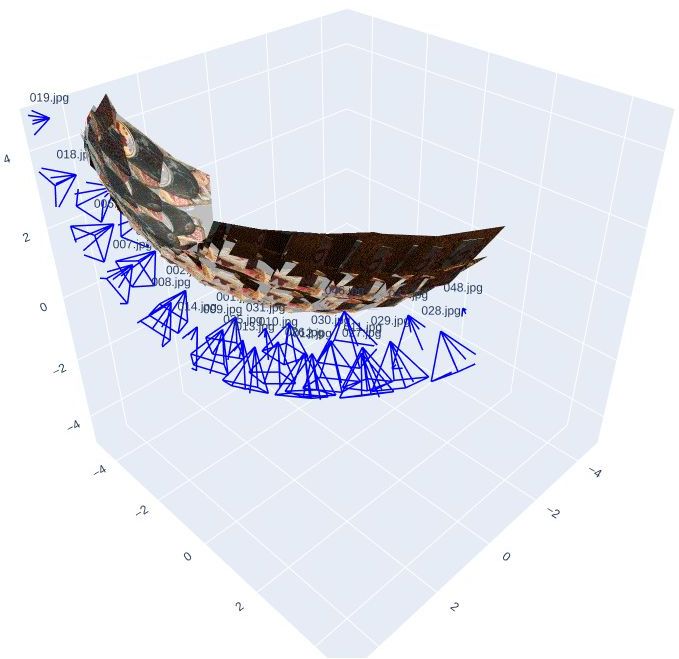
- The above figure shows the original poses. And the principal axis is facing away from the object.
pytransform3d
(2024-03-29)
-
Plot mesh and cameras:
Visualizing camera trajectory in Open3D #148 (Found when searching “open3d visualize camera poses” DDG)
The mesh in the image is produced by Meshroom. And then use
Figure.plot_camera() -
pytransform3d.camera.plot_camera()ExampleCode for plotting pose 1 of DTU
1 2 3 4 5 6 7 8 9 10 11 12 13 14 15 16 17 18 19 20 21 22 23 24 25 26 27import numpy as np import matplotlib.pyplot as plt import pytransform3d.camera as pc import pytransform3d.transformations as pt w2c = np.array([[0.970263, 0.00747983, 0.241939, -191.02], [-0.0147429, 0.999493, 0.0282234, 3.28832], [-0.241605, -0.030951, 0.969881, 22.5401], [0.0, 0.0, 0.0, 1.0] ]) c2w = np.linalg.inv(w2c) intrinsics = np.array([ [ 2.89233051e+03, -2.48063349e-04, 8.23205273e+02], [ 0.00000000e+00, 2.88317528e+03, 6.19070918e+02], [ 0.00000000e+00, 0.00000000e+00, 1.00000000e+00]]) sensor_size = np.array([1600, 1200]) # image size virtual_image_distance = 1 ax = pt.plot_transform(A2B=c2w, s=0.2) ax.set_xlim(186, 188) ax.set_ylim(3, 5) ax.set_zlim(20, 22) pc.plot_camera( ax, cam2world=c2w, M=intrinsics, sensor_size=sensor_size, virtual_image_distance=virtual_image_distance) plt.show()pytransform3d matplotlib 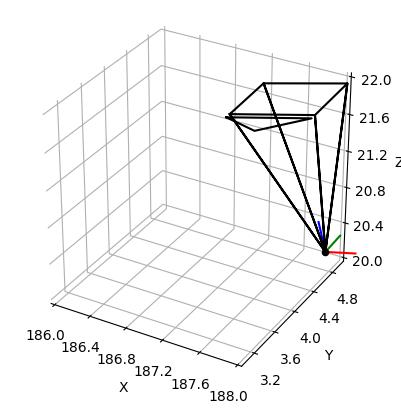
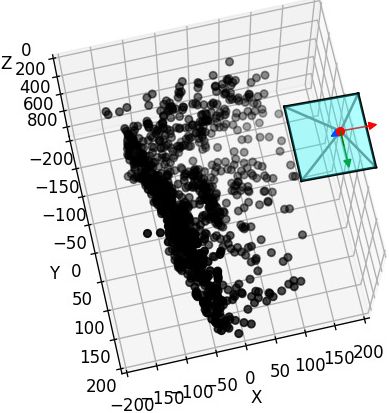
- In the matplotlib code, I have corrected the camera position to
-extrinsics[:-1][:,:-1].T @ extrinsics[:,-1][:-1]. The 2 results are the same.
- In the matplotlib code, I have corrected the camera position to
-
Plot basis and camera plane:
Camera Extrinsic Matrix with Example in Python - Part2
1 2 3 4 5 6 7# plot the global basis and the transformed camera basis ax = pr.plot_basis(ax) ax = pr.plot_basis(ax, R, offset) # plot the original and transformed image plane ax.plot_surface(xx, yy, Z, alpha=0.75) ax.plot_surface(xxt, yyt, Zt, alpha=0.75)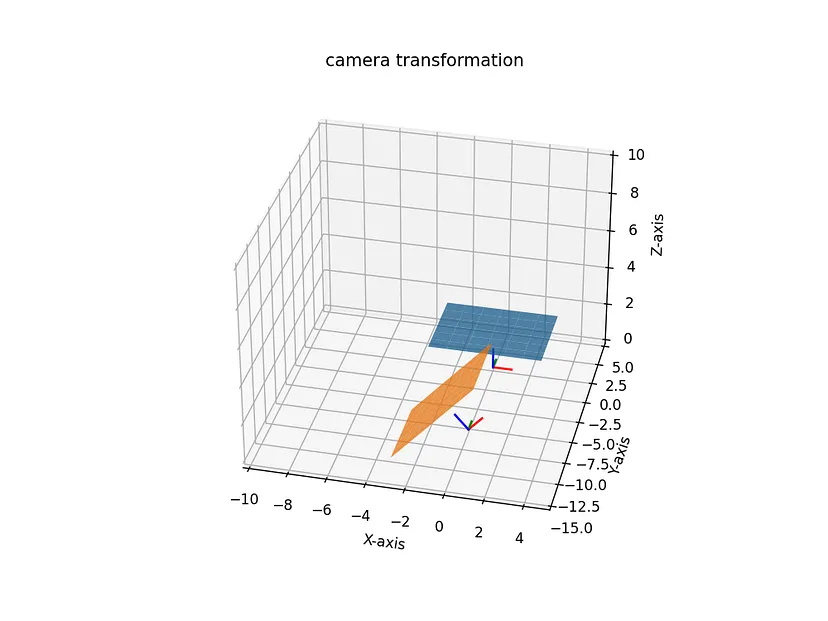
Matplotlib
(2024-03-30)
Code
|
|
- The
Line3DCollectionusage is seen from an chatGPT-generated anwser: How to visualize colmap export that Camera parameters -SO
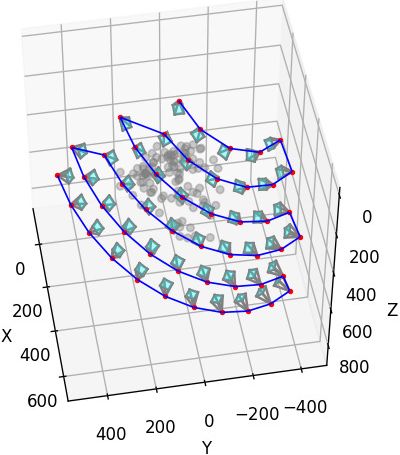
open3d
camera hull
(2024-03-29)
-
create_camera_visualization()Sample code: Is there a way to draw a camera in a visualizer? #3876
(Found when searching “open3d draw cameras” DDG)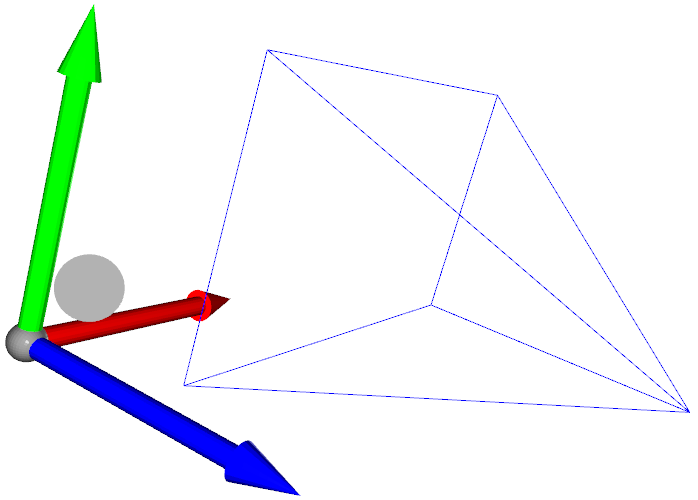
camera moves
(2024-03-31)
Setting the extrinsic matrix for ViewControl #2121 - Open3D (surfaced by DDG searching “open3d camera extrinsic set_extrinsic”)
Iterate multiple camera poses (extrinsics):
Code
|
|
- Note: The argument
allow_arbitrary=Trueis required inconvert_from_pinhole_camera_parameters(cam, True)(using 0.18.0),
Custom Animation
Customized visualization - Open3D Docs
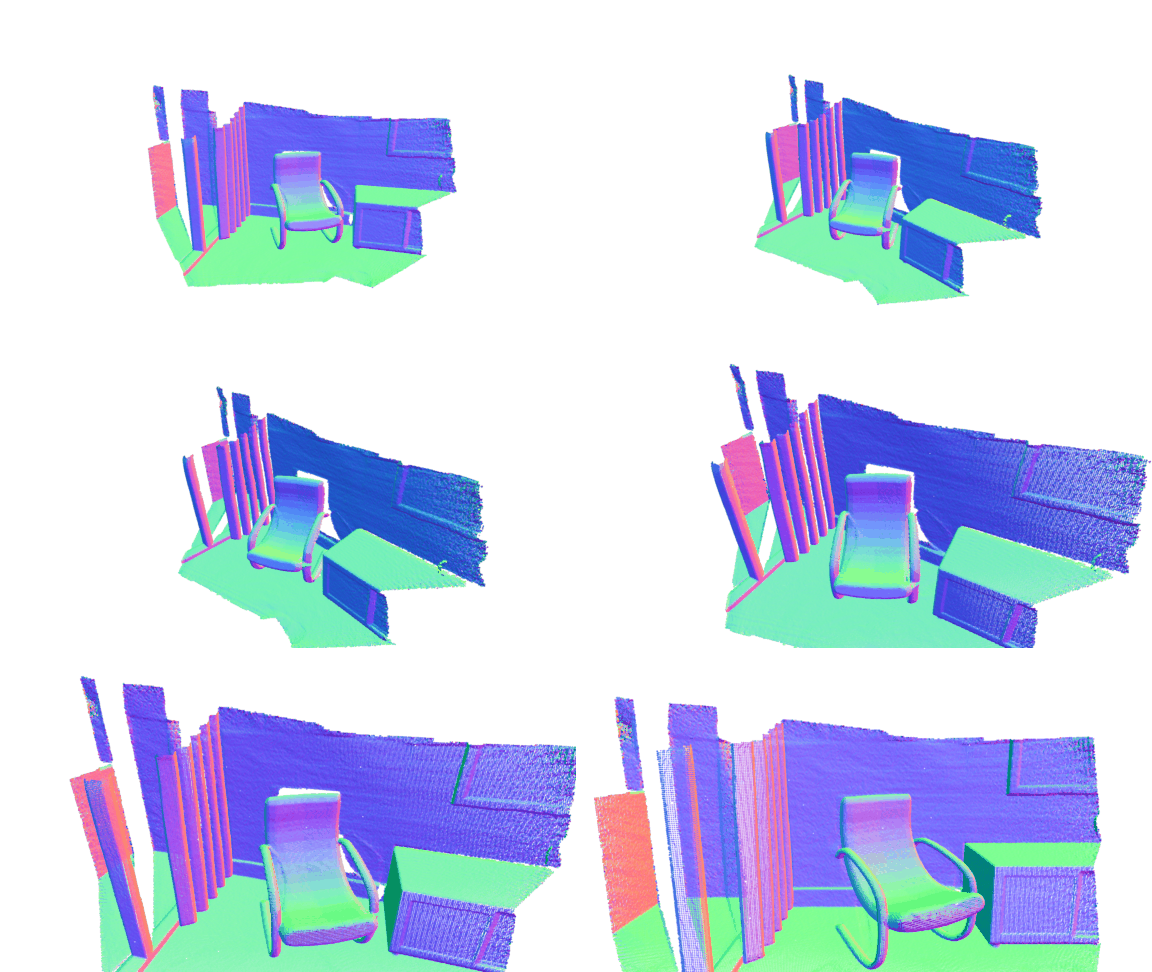
Code from View Control No Effect in 0.17 #6098
|
|
Others
-

-
OpenCV has example code. How to plot the camera and image positions from camera calibration data?

-
sxyu/nerfvis: NeRF visualization library under construction
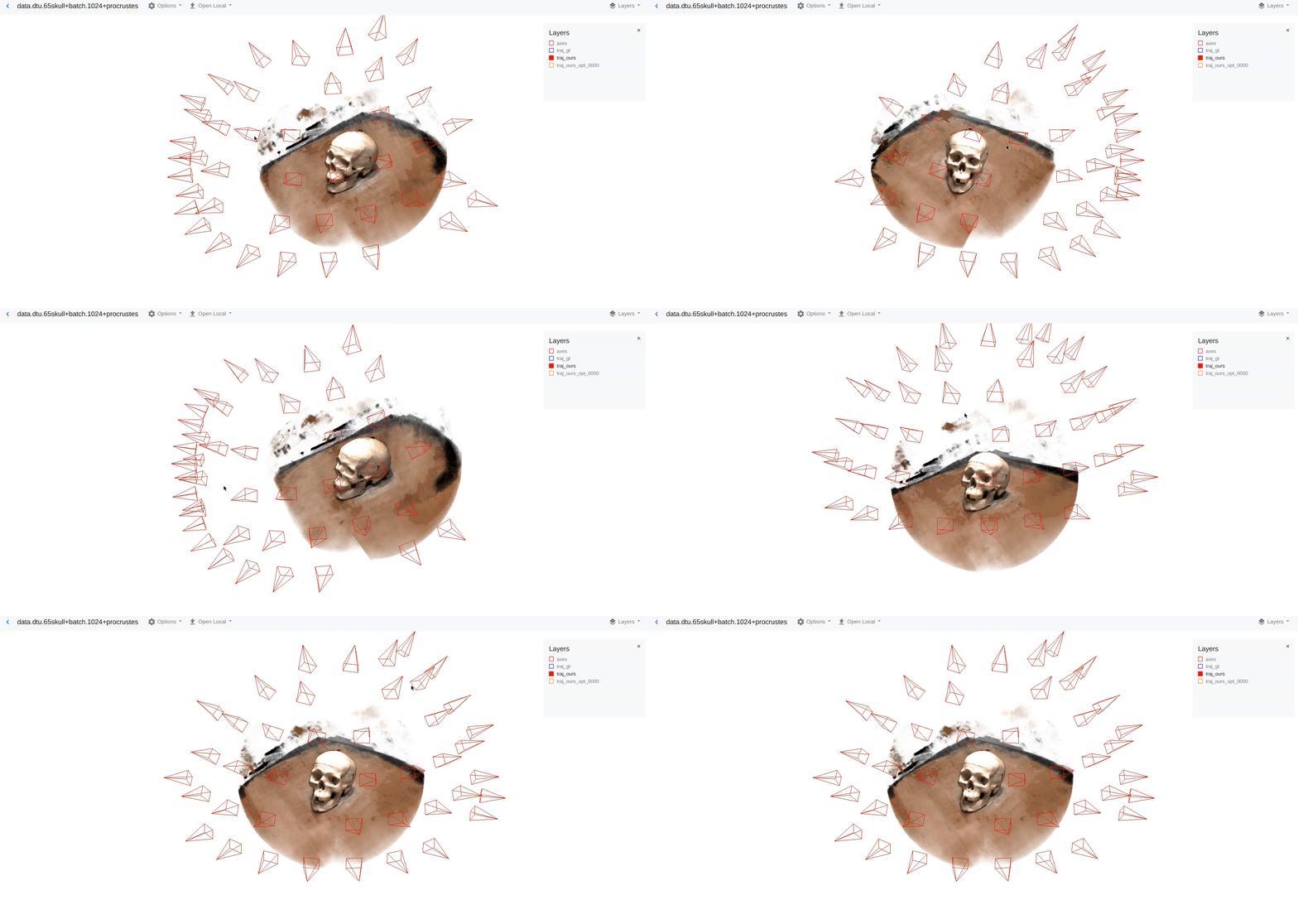
-
Blender add-on: Photogrammetry-Importer How to visualize colmap export ‘images.txt’ in blender? -SO

OpenCV
(2024-04-01)
-
OpenCV: cv::viz::WCameraPosition Class Reference

-
Draw coordinates axes
How to draw 3D Coordinate Axes with OpenCV for face pose estimation? - SO
1
2
scale = 0.1 img = cv2.drawFrameAxes(img, K, distortion, rotation_vec, translation_vec, scale)